
CS2 가짜 M4A4 Howl 스티커 조합
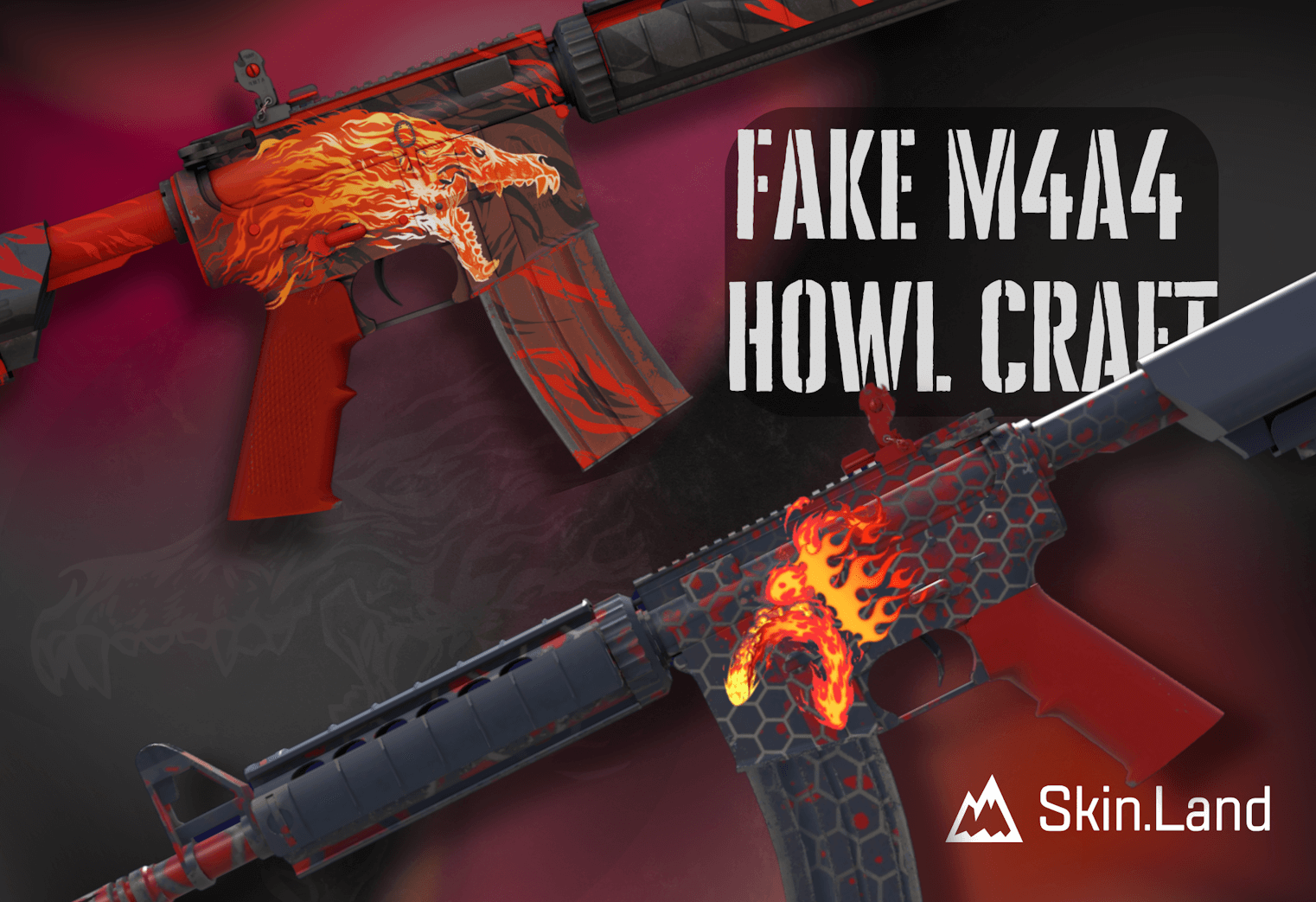
2025년 초 Valve는 Counter-Strike 2의 커스터마이징 강화를 중심으로 한, 주로 스타일에 초점을 맞춘 "The Armory" 업데이트를 선보였습니다. 다양한 꾸미기 아이템과 CS2 커스터마이징의 새로운 분류인 참을 추가한 것 외에도, Valve는 마침내 플레이어가 스티커를 원하는 대로 붙이고, 회전하고, 뒤집을 수 있게 했습니다. 드디어 예산이 빠듯한 플레이어도 거의 공짜로 Howl 스티커 조합을 만들 수 있게 된 것입니다. 일반 M4A4 Howl은 Factory New 기준 약 6,500달러지만, 저희의 가성비 M4A4 가짜 Howl 조합 은 전부 합쳐 약 4.5달러입니다. 자세한 내용은 아래에서 설명합니다.
스티커로 가짜 M4A4 Howl 만드는 방법
처음에는 복잡해 보일 수 있지만, 필요한 재료만 갖추면 이 조합은 아주 쉽게 만들 수 있습니다. 가짜 M4A4 Howl 조합을 만드는 단계별 튜토리얼은 다음과 같습니다.
M4A4 스킨과 필요한 스티커 준비하기
먼저 조합의 바탕이 될 M4A4 스킨이 필요합니다. 강렬한 색상이나 그래픽으로 스티커를 압도하지 않는, 색 조합이 비슷한 스킨을 골라야 합니다. 저희는 가짜 Howl 조합에 M4A4 Converter를 선택했는데, 꽤 저렴하면서 조합에 충분히 잘 어울리기 때문입니다. 다만 육각형 격자 무늬가 너무 촌스럽거나 "기계적"으로 느껴진다면 다음 스킨도 시도해 볼 수 있습니다:
M4A4 | Converter가 가장 저렴한데, Factory New 일반(비기념품) 버전이 겨우 2.45달러라 지나치기 아까운 가격입니다. Evil Daimyo와 Red DDPAT는 Factory New 기준 각각 14달러와 80달러입니다. 가성비 Howl 조합의 재미있는 점은 바탕 스킨이 꼭 Factory New일 필요는 없다는 것입니다. 오히려 Battle-Scarred 품질이 뜨겁게 그을린 분위기에 더 잘 어울릴 수도 있습니다. 스킨을 골랐다면 이제 스티커를 준비할 차례입니다:
이 스티커들은 모두 Skin.Land에서 시장 최저가로 구할 수 있으므로 조합 전체를 5달러 예산 안에 맞출 수 있습니다.
스티커 붙이기
스티커를 붙이는 순서는 자유지만, 보통은 다음 순서로 시작합니다:
Boom Trail: 이 스티커부터 리시버 아래쪽에 붙이고, 원래 Howl 스킨의 늑대 머리처럼 보이도록 회전시키세요.
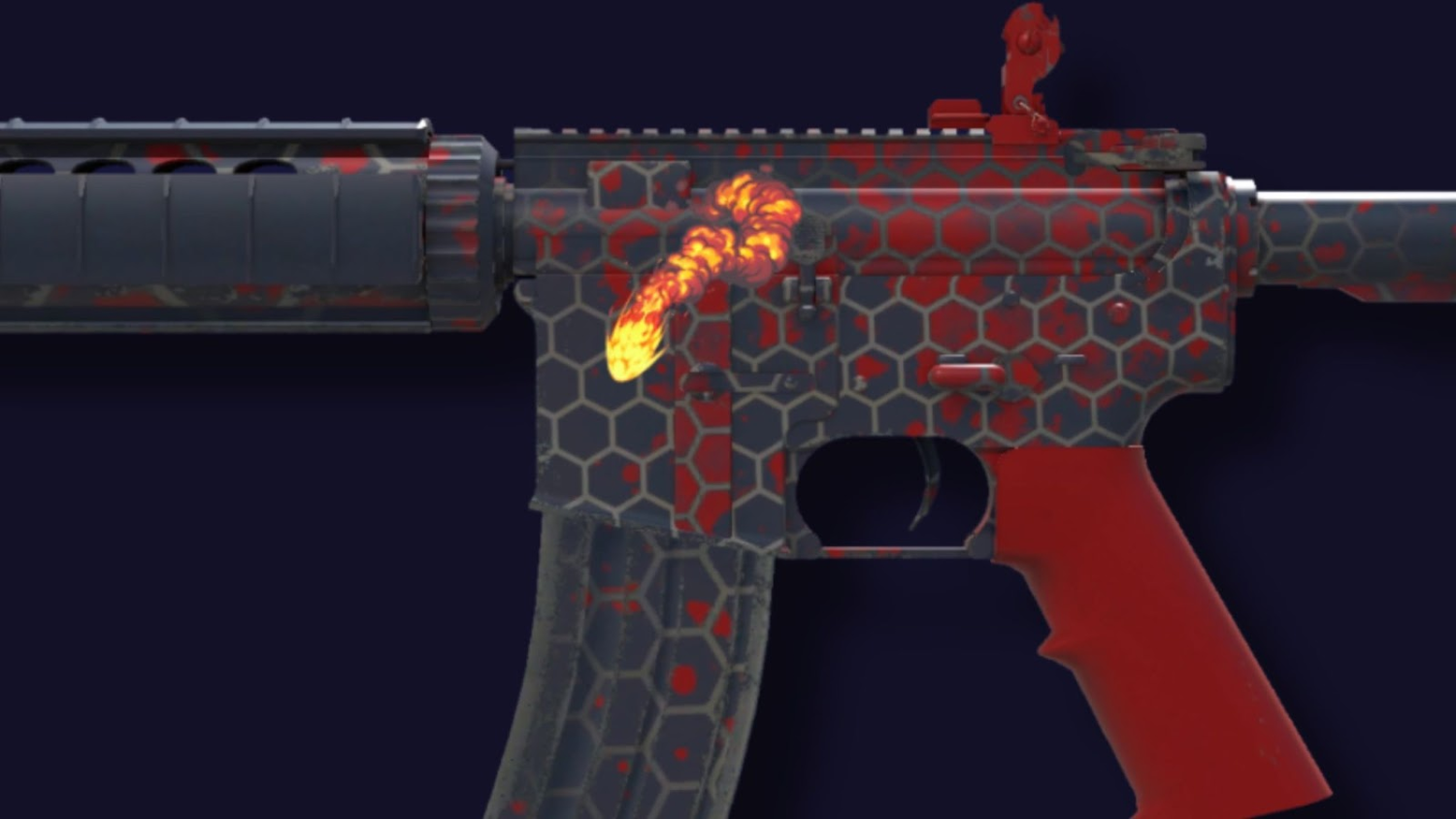
Scorch Loop: 다음 스티커는 늑대 머리의 턱을 표현해야 하므로, 첫 번째 스티커 아래에 한 지점에서 이어지도록 붙이세요.
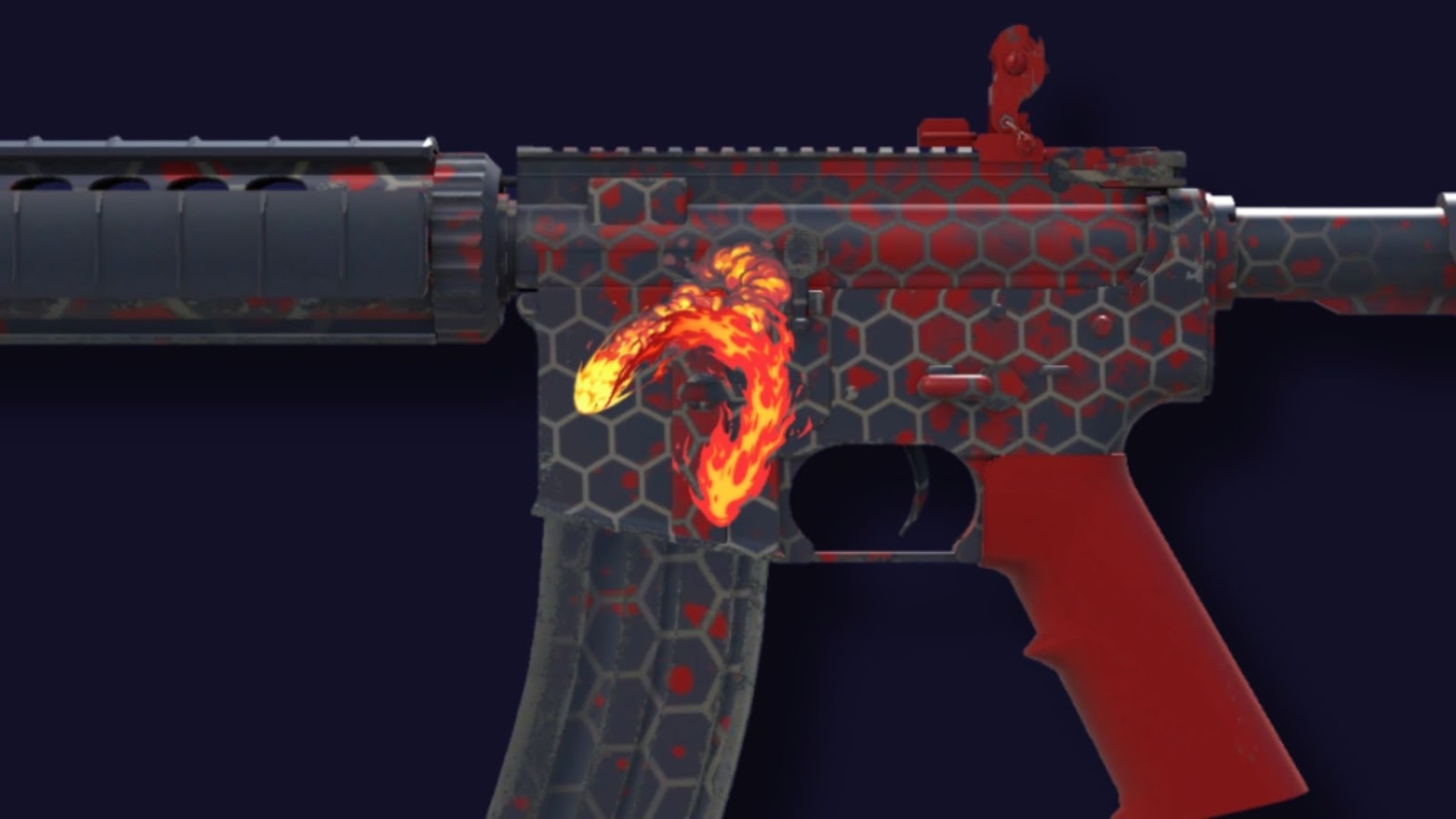
Winding Scorch: 이 스티커로 늑대 머리 윗부분을 완성하며, 살짝 위를 향하게 합니다. 앞의 두 스티커 사이에 붙이세요.
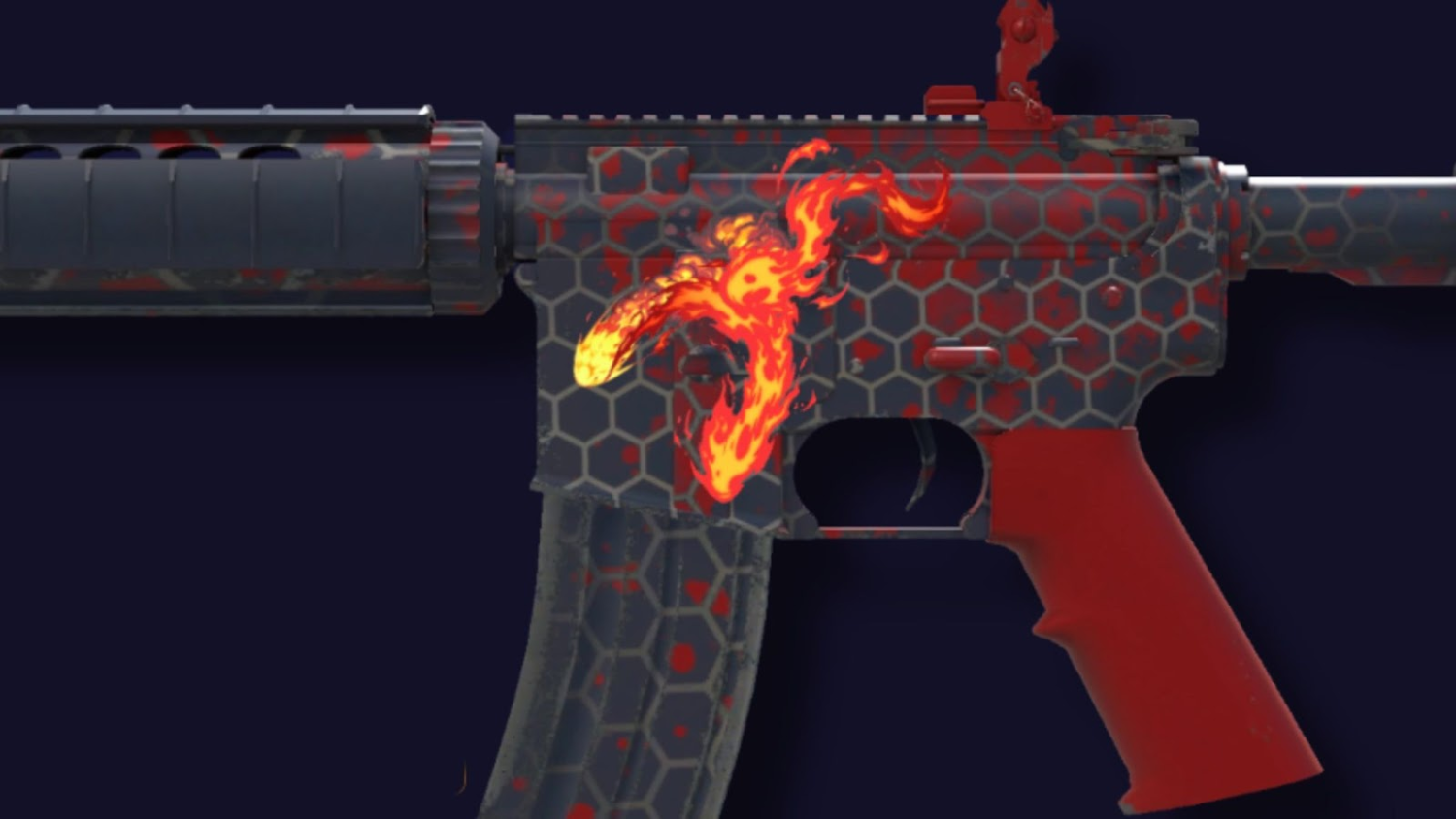
High Heat: 이 스티커 두 장을 나란히 붙이면 조합이 완성됩니다.
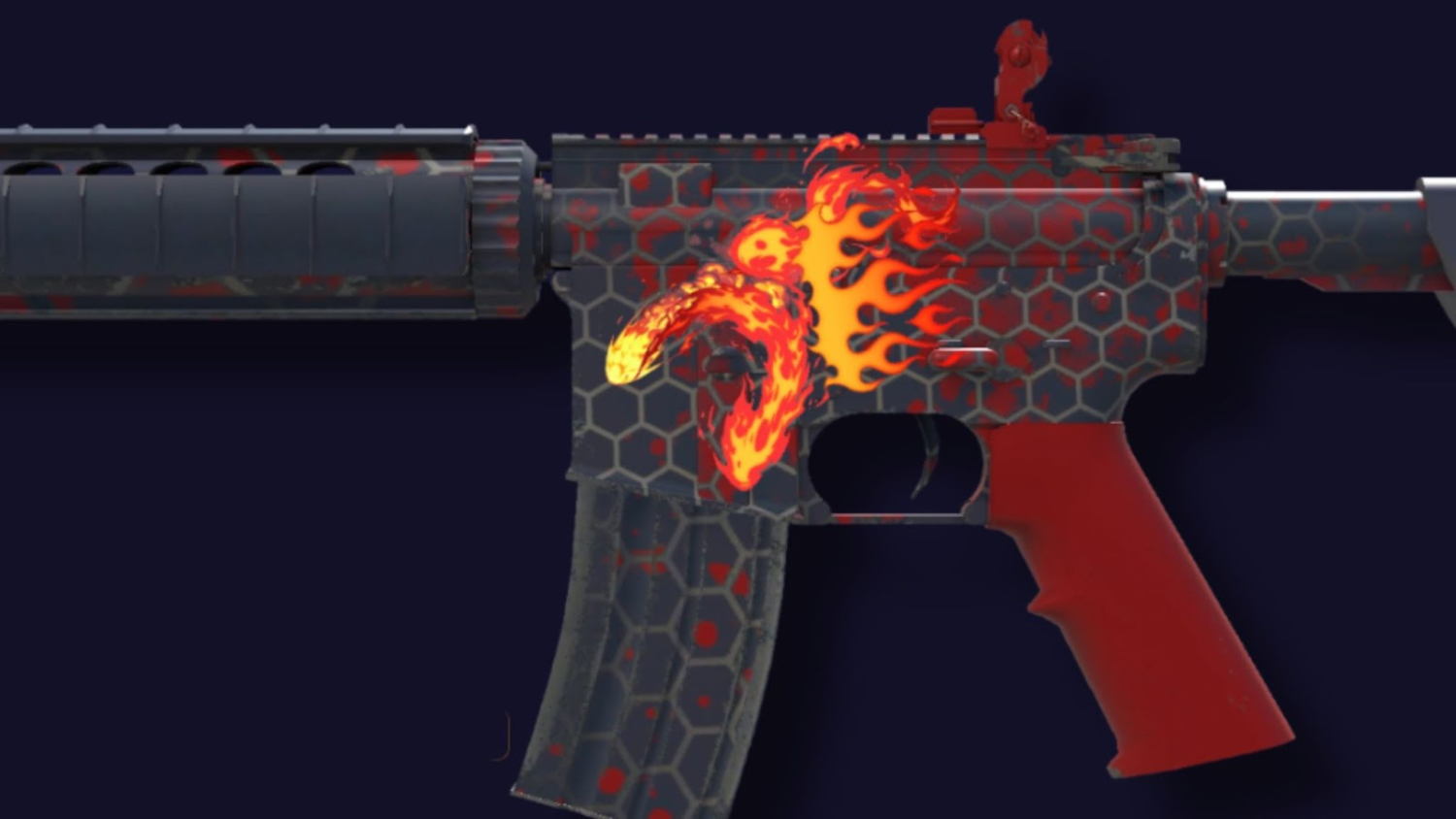
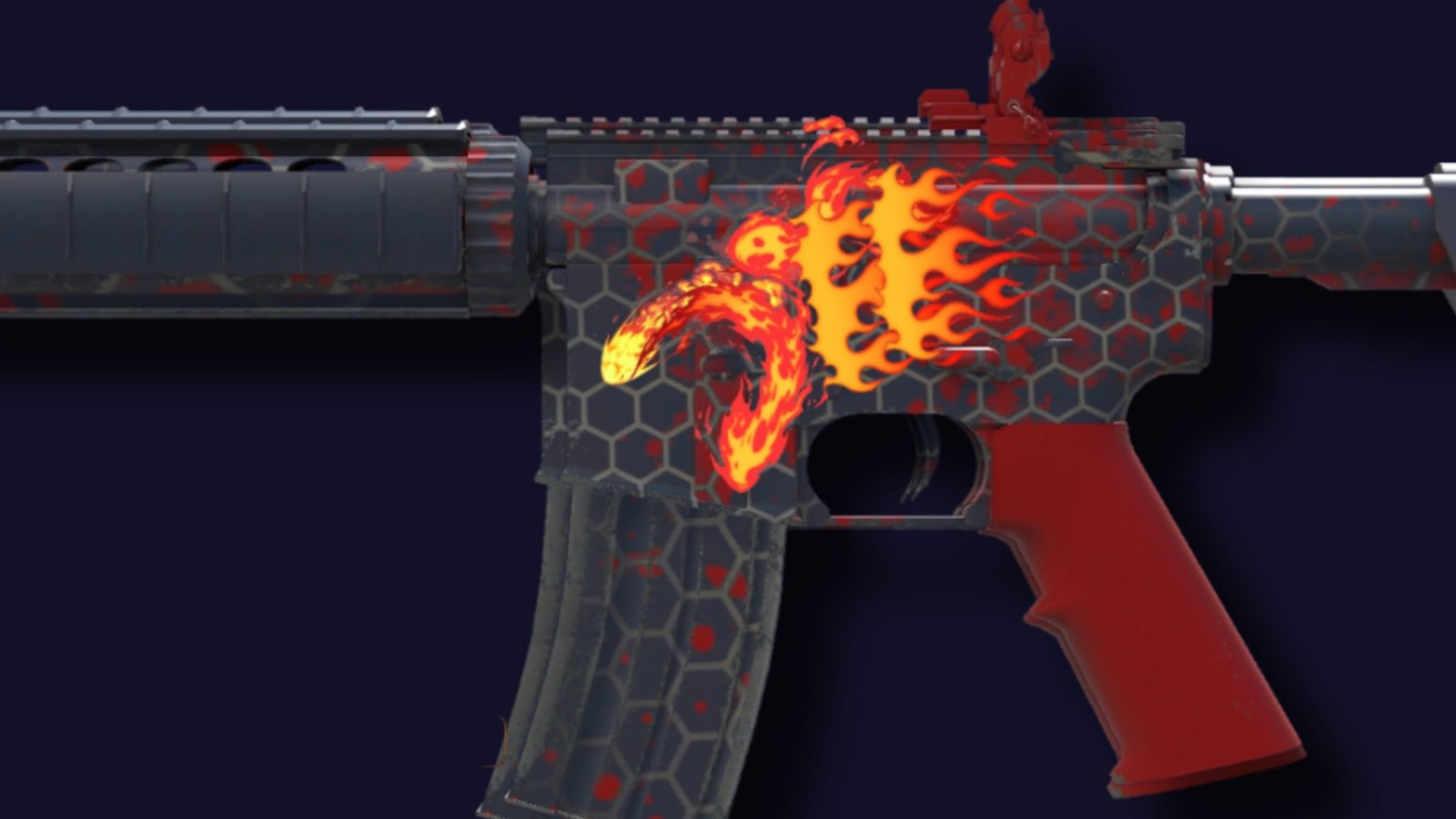
이제 완성입니다! 가성비 Howl 조합으로 게임을 즐기며, Counter-Strike 2에서 DIY 정신이 살아 있다는 걸 보여 주세요. 서버에서 조합을 꼭 테스트해 보고, 저희 것보다 더 멋지게 나왔다면(아마 그럴 겁니다) 알려 주세요. 앞으로 만들 조합에 쓸 스티커와 스킨을 저렴하게 잔뜩 구하고 싶다면 Skin.Land에서 필요한 모든 것을 시장 최저가로 구매하세요. 마켓을 둘러보고 대체 가짜 Howl 조합용 M4A4 | Converter를 장만하세요. 이 글이 도움이 되었길 바라며, 새로운 가이드와 글도 기대해 주세요.
가짜 M4A4 Howl 조합 자주 묻는 질문
지금도 CS2에서 진짜 M4A4 | Howl을 얻을 수 있나요?
상자 개봉으로는 불가능합니다. Howl은 상자에서 제외된 Contraband 등급 스킨이라 더 이상 드롭되지 않으며, 마켓이나 거래로만 주인이 바뀝니다. 이런 희소성 때문에 Factory New 매물은 약 6,600달러에 팔립니다.
M4A4 | Howl은 왜 바뀌었나요?
원래 아트워크가 완전한 권리 없이 사용되었고, 저작권 문제가 제기된 뒤 Valve가 현재의 빨간색과 검은색 늑대 디자인으로 다시 작업했습니다. 이 과정에서 게임에서 가장 희귀하고 유일무이한 등급인 Contraband로 재분류되었습니다.
가짜 Howl 스티커 조합은 얼마나 드나요?
전부 합쳐 약 5달러입니다. Converter(약 2~3달러) 같은 저렴한 M4A4 바탕 스킨과 불꽃 테마 스티커 몇 장, 즉 Boom Trail 1장, Scorch Loop 1장, Winding Scorch 1장, High Heat 2장을 늑대 머리처럼 배치하면 됩니다.
스티커는 스킨에 영구적으로 붙어 있나요?
한 번 붙이면 각 스티커는 해당 무기에 고정됩니다. 긁어내면 스티커가 닳다가 결국 파괴되며 되돌릴 방법이 없으니, 조합을 확정하기 전에 위치를 신중하게 맞추세요.






댓글 작성